Motion Computing C5 Guia do Utilizador Página 12
- Página / 86
- Índice
- RESOLUÇÃO DE PROBLEMAS
- MARCADORES


- User’s Guide 1
- Motion C5 1
- Motion F5 1
- Contents 3
- Getting Started 7
- Overview 8
- Right side 9
- Top side 9
- Back side 10
- Setting up the system 11
- • In Windows XP: 12
- • In Windows Vista: 12
- 8 Chapter 1 Getting Started 14
- Features 15
- Status lights 16
- Front panel buttons 17
- Security 18
- Windows Security button 19
- Fingerprint reader 19
- DataGuard 20
- Bar code scanner (optional) 21
- RFID reader 22
- Smart card reader 22
- Microphones 22
- Docking connector 23
- Wi-Fi (802.11a/b/g wireless) 23
- Mobile Broadband 24
- Bluetooth wireless 24
- Power adapter 25
- 20 Chapter 2 Features 26
- Using the system 27
- Using Motion Dashboard 28
- Using the pen 29
- Using Tablet PC Input Panel 29
- Configuring pen options 30
- Using the display 33
- Using the bar code scanner 35
- Using the RFID reader 36
- Using the camera 37
- Smart card 38
- Using speech recognition 40
- Using the battery 43
- Charging the battery 44
- Swapping the battery 45
- Using power management 46
- Using Hibernate 47
- Using Standby 47
- Using Wi-Fi (802.11a/b/g) 48
- Using Mobile Broadband 50
- Connecting and disconnecting 51
- Using the SIM card slot 51
- SIM slot 52
- Diagnostic port 52
- Using Bluetooth 53
- Capturing a fingerprint 57
- Using password replacement 60
- Using the password wizard 60
- Using Windows Security Center 62
- Setting a BIOS password 63
- Finding additional software 64
- Care and Maintenance 65
- Standard display 66
- View Anywhere display 66
- Disinfecting procedures 67
- Cleaning the fan cover 68
- Traveling with the system 70
- Restoring data 71
- Creating a backup archive 72
- Creating a bootable disk 72
- Removing the Acronis OEM Zone 73
- Troubleshooting and 75
- Ports and connectors 77
- Frequently asked questions 79
- Specifications 80
- Service and support 81
- Numerics 83
Manuais e produtos relacionados com Tablets gráficos Motion Computing C5
Philips 42PFL7403S/60 podręczniki
Instrukcje obsługi i podręczniki użytkownika dla Telewizory i monitory Philips 42PFL7403S/60.
Dostarczamy 1 pdf podręczników Philips 42PFL7403S/60 do pobrania za darmo według typów dokumentów: Instrukcja Użytkownika
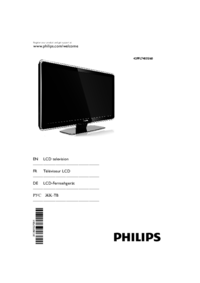
Philips 42PFL7403S/60 Instrukcja Użytkownika (50 strony)
Marka: Philips | Kategoria: TVs & monitors | Rozmiar: 2.26 MB |

Spis treści
5
13
24
25
31
32
33
34
41
46
Więcej produktów i instrukcji dla Telewizory i monitory Philips
| Modele | Rodzaj dokumentu |
|---|---|
| 42PFL5604H |
Instrukcja Użytkownika
 Philips 42PFL5604H User's Manual,
3 strony |
| 47PFL7404H |
Instrukcja Użytkownika
Philips 47PFL7404H User's Manual,
3 strony
|
| HNS7170T |
Instrukcja Użytkownika
Philips 170S7FG/00 Benutzerhandbuch,
99 strony
|
| 47PFL7409D |
Instrukcja Użytkownika
Philips 47PFL7409D User's Manual,
3 strony
|
| 42PF1000 |
Instrukcja Użytkownika
Philips 42PF1000 User's Manual,
3 strony
|
| V30 |
Instrukcja Użytkownika
Philips V30 User's Manual [en] ,
109 strony
|
| 200BW8 |
Instrukcja Użytkownika
 Philips 200BW8 User's Manual,
86 strony |
| 19" LCD Color Monitor 97 (1) |
Instrukcja Użytkownika
Philips 19" LCD Color Monitor 97 (1) User's Manual,
96 strony
|
| 160E1SB/00 |
Instrukcja Użytkownika
Philips 160E1SB/00 Benutzerhandbuch,
86 strony
|
| 221E |
Instrukcja Użytkownika
 Philips 221E1HSB/93 ユーザーマニュアル,
78 strony |
| 240PW9EB/27 |
Instrukcja Użytkownika
Philips 240PW9EB/27 User's Manual,
92 strony
|
| Brilliance 150P3A |
Instrukcja Użytkownika
Philips Brilliance 150P3A User's Manual,
89 strony
|
| 42TA1800/93 |
Instrukcja Użytkownika
Philips 42TA1800/93 User's Manual,
3 strony
|
| 42HF7945D |
Instrukcja Użytkownika
Philips 42HF7945D User's Manual,
2 strony
|
| 200VW8FB |
Instrukcja Użytkownika
Philips 200VW8FB User's Manual,
74 strony
|
| 42-3DW601/00 |
Instrukcja Użytkownika
Philips 42-3DW601/00 User's Manual,
20 strony
|
| MGD403 |
Instrukcja Użytkownika
Philips MGD403 User's Manual,
36 strony
|
| 52PFL7203H |
Instrukcja Użytkownika
Philips 52PFL7203H User's Manual,
3 strony
|
| 107B7 |
Instrukcja Użytkownika
Philips 107B7 User's Manual,
80 strony
|
| 42PFL7332 |
Instrukcja Użytkownika
Philips 42PFL7332 User's Manual,
3 strony
|
© 2020, manymanuals-pt.com. Todos os direitos reservados. | 0.031 s |
 Manymanuals.com
 Manymanuals.de
 Manymanuals.fr
 Manymanuals.it
 Manymanuals.pl
 Manymanuals.cz
 Manymanuals.es
 Manymanuals-pt.com
Comentários a estes Manuais